
One booking. Everyone informed.
Your holiday rental, all in one app.
Stayem keeps your calendar, guests, cleaners and money in step. Every channel in one calendar, one link for your guests, and a schedule your cleaner can see.
Free to start · No credit card · By owners, for owners
See Stayem in action
One screen for each job Stayem takes off your hands.
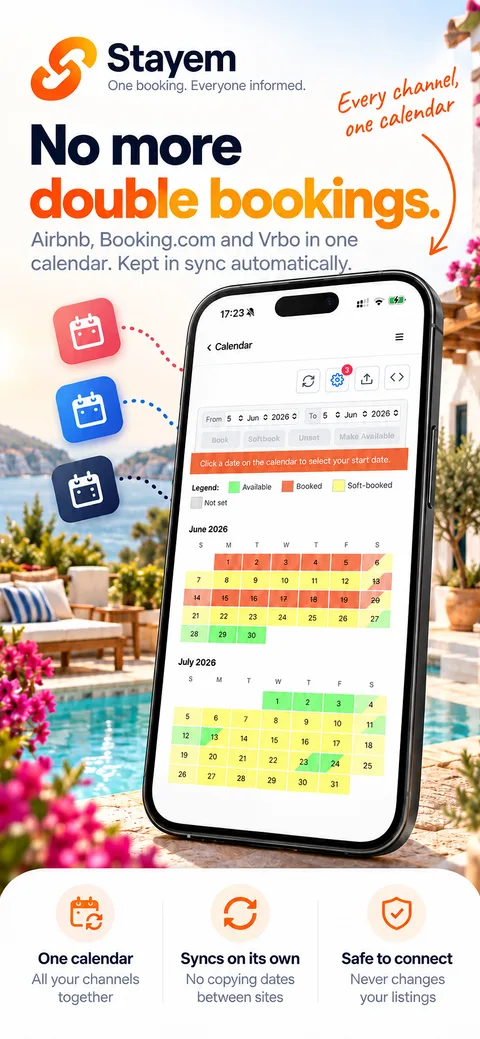
Airbnb, Booking.com and Vrbo in one calendar, kept in sync automatically. Stayem never changes your listings.
Learn more: One calendar for every channelFour people. One booking. Everyone informed.
You, your guests, your cleaner and the platforms, all working from the same booking.
New booking — 12–19 July
- Dates blocked everywhere
- Payment schedule created
- Guest welcome ready to send
- Cleaner's schedule updated
- Income on your dashboard
The jobs you stop doing
- Untangling double bookings
- Keeping the payments spreadsheet alive
- Re-sending the wifi password
- Chasing deposits by memory
- Answering “who arrives Saturday?” texts
- Copy-pasting details between systems
Perfect for
- Villa owners
- Holiday rentals
- B&Bs
- Guest houses
- Small hotels
- Co-hosts and property managers
Get your calendar sync right
This is the foundation. Make Stayem your one master calendar and connect Airbnb, Booking.com, VRBO and your direct bookings — a reservation anywhere blocks the dates everywhere, and your owner stays, maintenance and closed season finally live in one place. It is additive, reversible, and safe to test.
Your own website finally sells
Your website is the one channel that pays no commission. Drop the Stayem widget on it with a copy-paste snippet and visitors see your live availability — fed by the same master calendar as everything else.
Embed it in ten minutesRun the whole rental from one place
Calendar, payments, guests and team — one simple operating system. Free to start.
Learn the basics
Stayem is built by property owners for property owners. We focus on the niche of holiday rentals, B&B and small hotels. Learn why people switch.
What is Stayem?
Stayem is the holiday rental management app for independent owners. It keeps the four people in every stay aligned — you, your guest, your cleaner and the booking platforms: one master calendar synced everywhere, payment schedules tracked per booking, a QR-code welcome portal for guests, a turnover schedule for your team, and a dashboard that knows your numbers. Everything between “booking confirmed” and “deposit returned”, in one simple place.
Do my guests or cleaners need to install anything?
No. Guests and operators never create an account and never install an app. You send a QR code or a link; it opens in their phone browser. Guests see check-in instructions, wifi and house rules; cleaners see who leaves and who arrives. You choose how much each person sees.
Which platforms does Stayem sync with?
Any service that publishes or imports an iCal feed: Airbnb, Booking.com, VRBO / HomeAway, TripAdvisor, Google Calendar, Apple Calendar and more. There is no per-platform plugin to install — if it speaks iCal, it works.
Is Stayem free?
Free to start, no credit card required: one property and one calendar — synchronization, bookings and an availability calendar for your website — free. Paid plans unlock the rest: payment tracking, the guest and team portals, alerts and more properties.
How do I show availability on my own website?
Copy two HTML snippets — a script tag and a div — into any web page. The Stayem widget renders your live availability calendar in a monthly or yearly view and stays in sync with your master calendar.
Is there a free app to manage a holiday rental?
What stays free on Stayem — one property and one calendar, synced with every platform — and what is free until 31 December 2026.
Learn more →